Apple Intelligence Launches with a Bang: Powered by GPT-4o, Generative AI Comes to the Entire Ecosystem, Siri Reborn
TechFlow Selected TechFlow Selected
Apple Intelligence Launches with a Bang: Powered by GPT-4o, Generative AI Comes to the Entire Ecosystem, Siri Reborn
Plus an epic update: iPhone gets call recording, iPad gets a calculator.
 Navigating Web3 tides with focused insights
Not just Siri or the iPhone—Apple as a whole has taken a major leap forward.
In the early hours of June 11, Beijing time, Apple's Worldwide Developers Conference (WWDC) officially kicked off at Apple Park in Cupertino. At this event, Apple finally delivered generative AI capabilities across its entire product lineup, along with some unexpected announcements.
"Apple's goal has always been to build personal devices that are intuitive, user-friendly, and improve people's lives," said Tim Cook, Apple’s CEO. "For years, we’ve used artificial intelligence and machine learning to achieve this. Recent breakthroughs in large language models and other AI technologies now give us the opportunity to elevate the experience to new heights."
Now we finally understand how Apple views generative AI. First, the philosophy: it must be powerful, intuitive, fully integrated, personalized, and privacy-preserving.
Then, the approach: leveraging the powerful M-series chips in Apple devices, Apple is adopting a strategy combining self-developed on-device large models with cloud-based processing. The on-device models take an unconventional path; for tasks exceeding local processing capacity, Apple can leverage large models in the cloud (Private Cloud Compute), or even tap into OpenAI’s GPT-4o.
Thirteen years ago, Apple introduced Siri, revolutionizing smartphone interaction. In the era of generative AI, Siri now has the chance to fulfill the high expectations set at its debut—it’s smarter, more knowledgeable, and capable of guiding users step by step like today’s most advanced large model tools to help solve problems.
Additionally, just like ChatGPT, you can now interact with Siri via text input.
Apple says the new form of Siri will be a game-changer. A wide range of new AI features will roll out soon, while capabilities like screen reading and app-to-app operations are expected to arrive next year.
The revamped Siri is only a small part of Apple’s broader AI capabilities. During the 90-minute keynote at this year’s WWDC, Apple dedicated an entire section to showcasing generative AI—from images to text—across iPhone, iPad, and Mac. All of these are powered by Apple Intelligence.
Apple Intelligence: A Complete AI System
Apple Intelligence is Apple’s new personalized intelligence system, fully integrating generative AI capabilities.
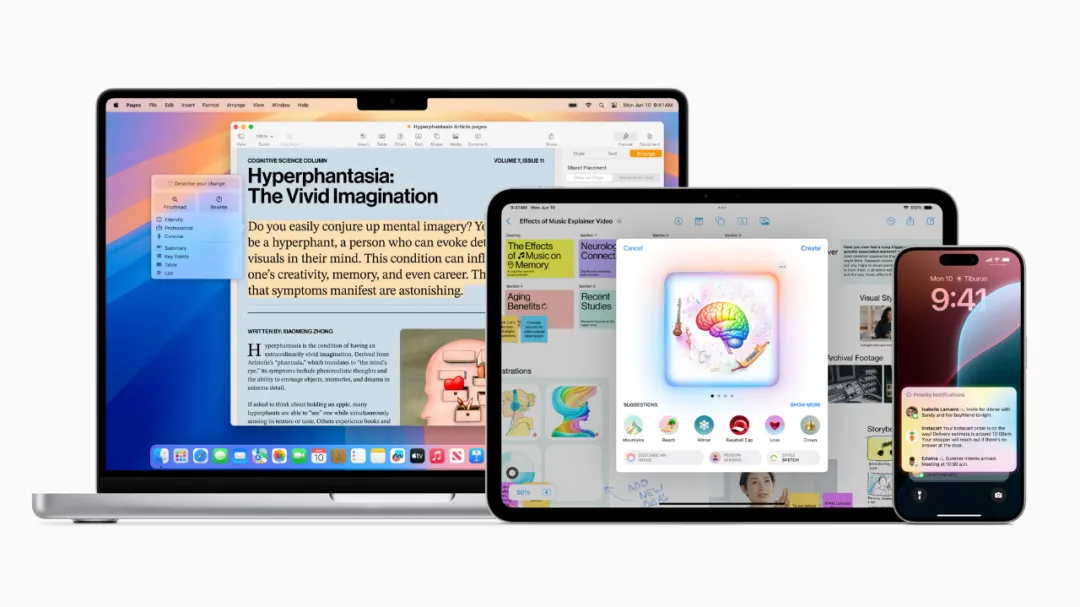
Apple Intelligence combines generative AI models with personal context to deliver practical intelligent services. It spans iPhone, iPad, and Mac, deeply integrated into iOS 18, iPadOS 18, and macOS Sequoia. Leveraging Apple silicon, it understands and creates language and images, performs cross-app actions, and simplifies and accelerates daily tasks using personal data.
These operations run locally on the device when possible, with more complex tasks handled in the cloud. Through Private Cloud Compute, Apple sets a new privacy standard in AI, flexibly shifting computational load between on-device processing and server-based large models—all running on dedicated Apple silicon servers.
Cook said Apple Intelligence marks a new chapter in innovation, transforming how users interact with their devices. He emphasized that Apple’s unique approach—combining generative AI with personal context—delivers truly useful intelligence. Furthermore, Apple Intelligence accesses information in a completely private and secure way, helping users focus on what matters most. This is Apple’s distinct AI experience.
A Reinvented Siri
Apple Intelligence brings deeper system-level integration to Siri. Siri now boasts enhanced language understanding, becoming more natural, context-aware, and personalized, streamlining and accelerating everyday tasks. Siri can interpret pauses in speech and maintain contextual continuity across multiple requests. Users can also type to Siri and switch seamlessly between text and voice input. Additionally, Siri receives a fresh design—when activated, a subtle glow illuminates the screen edges.
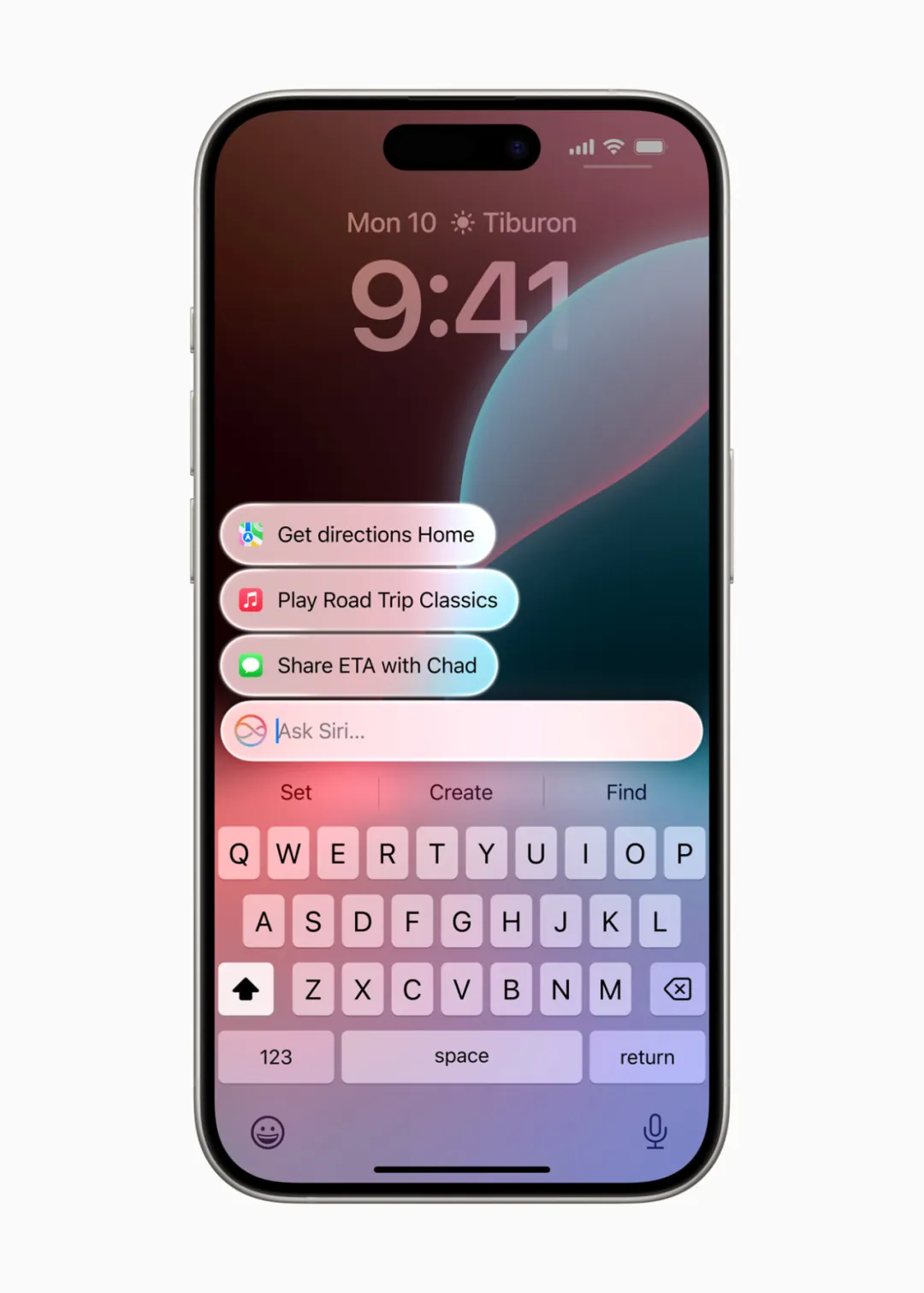
Users can now type to Siri and switch between text and voice input in any way that suits them.
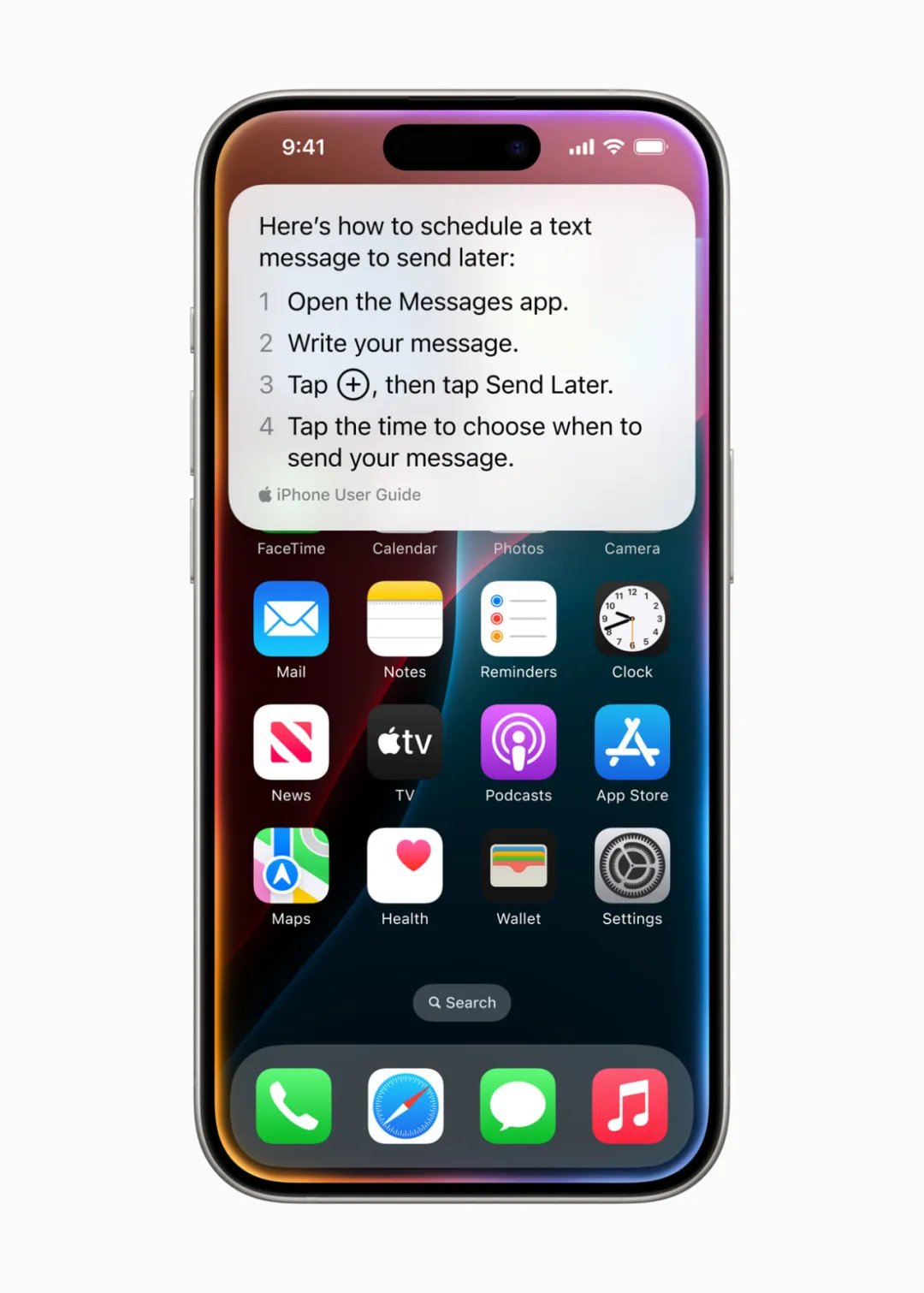
Siri now offers comprehensive device support, answering thousands of questions about iPhone, iPad, and Mac usage regardless of where users are. For example, users can learn how to schedule emails in Mail or switch from light to dark mode.
With screen awareness, Siri makes it easy to perform actions related to on-screen content—like adding an address received in a chat message to a friend’s contact card.
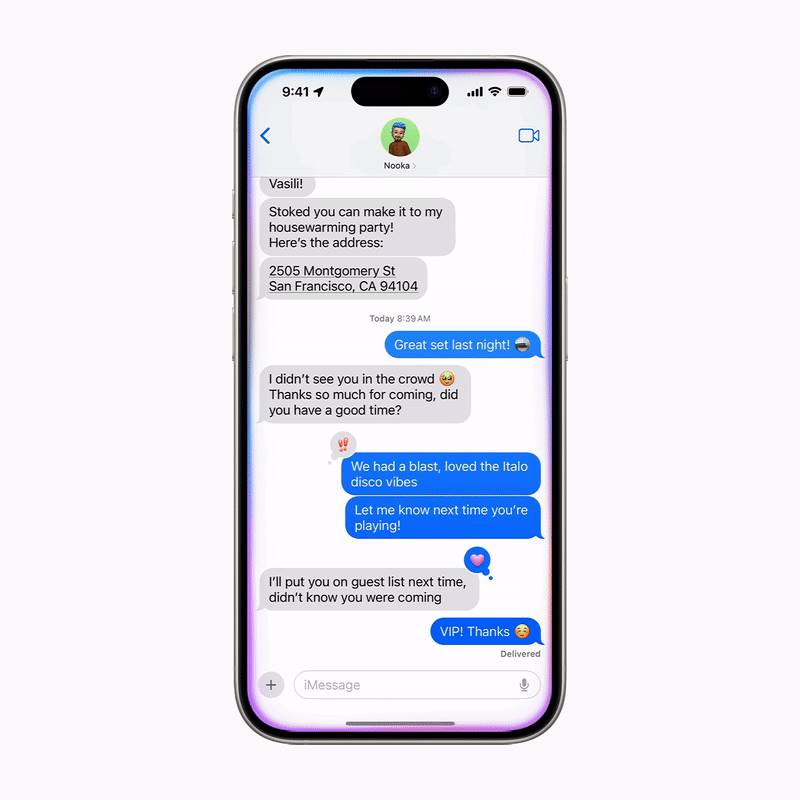
Powered by Apple Intelligence, Siri can execute hundreds of new actions within Apple and third-party apps. For instance, users can say, “Find that article about cicadas from my reading list,” or “Send the photos from Saturday’s barbecue to Malia,” and Siri will handle the rest automatically.
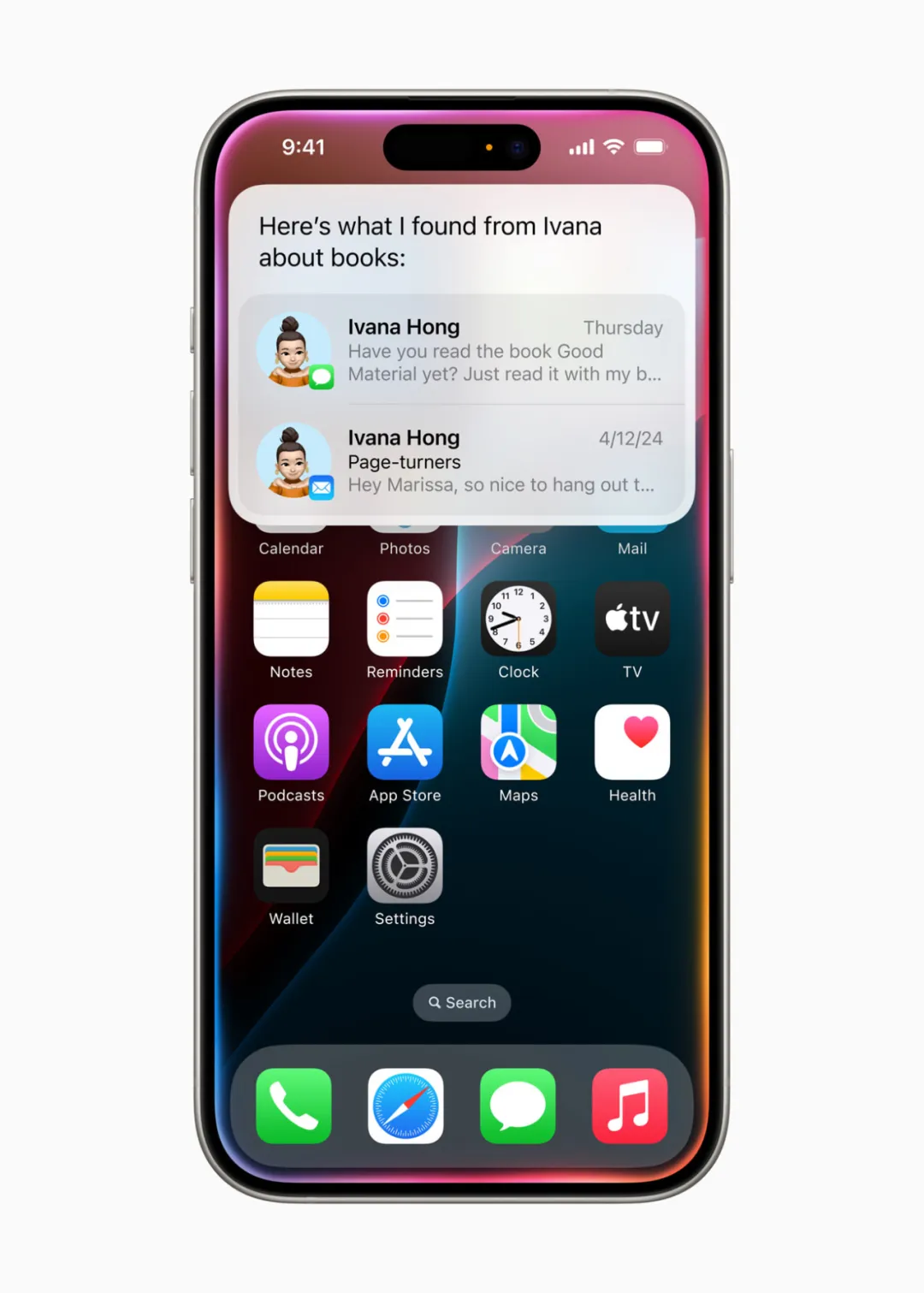
Siri can now perform hundreds of new actions within and across apps, such as finding book recommendations sent by friends in Messages or Mail.
Siri delivers personalized intelligent services based on user device data. For example, saying “Play that podcast Jamie recommended” prompts Siri to locate and play it—even if the user doesn’t remember whether it was mentioned in a text or email. Or asking, “When does Mom’s flight arrive?” triggers Siri to find flight details and cross-reference real-time tracking data to provide accurate arrival times.
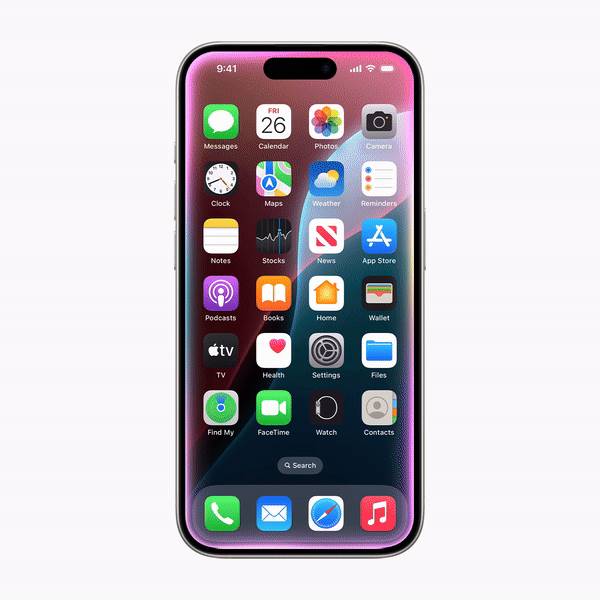
Siri provides tailored intelligent services based on user data, such as checking departure details for upcoming flights or tracking dinner reservations.
Interestingly, Apple had already hinted at these Siri updates in a research paper released in April, though it went largely unnoticed. For more details, see the Machine Heart report: "Enabling Large Models to Understand Mobile Screens: Apple’s Multimodal Ferret-UI Controls Phones via Natural Language."
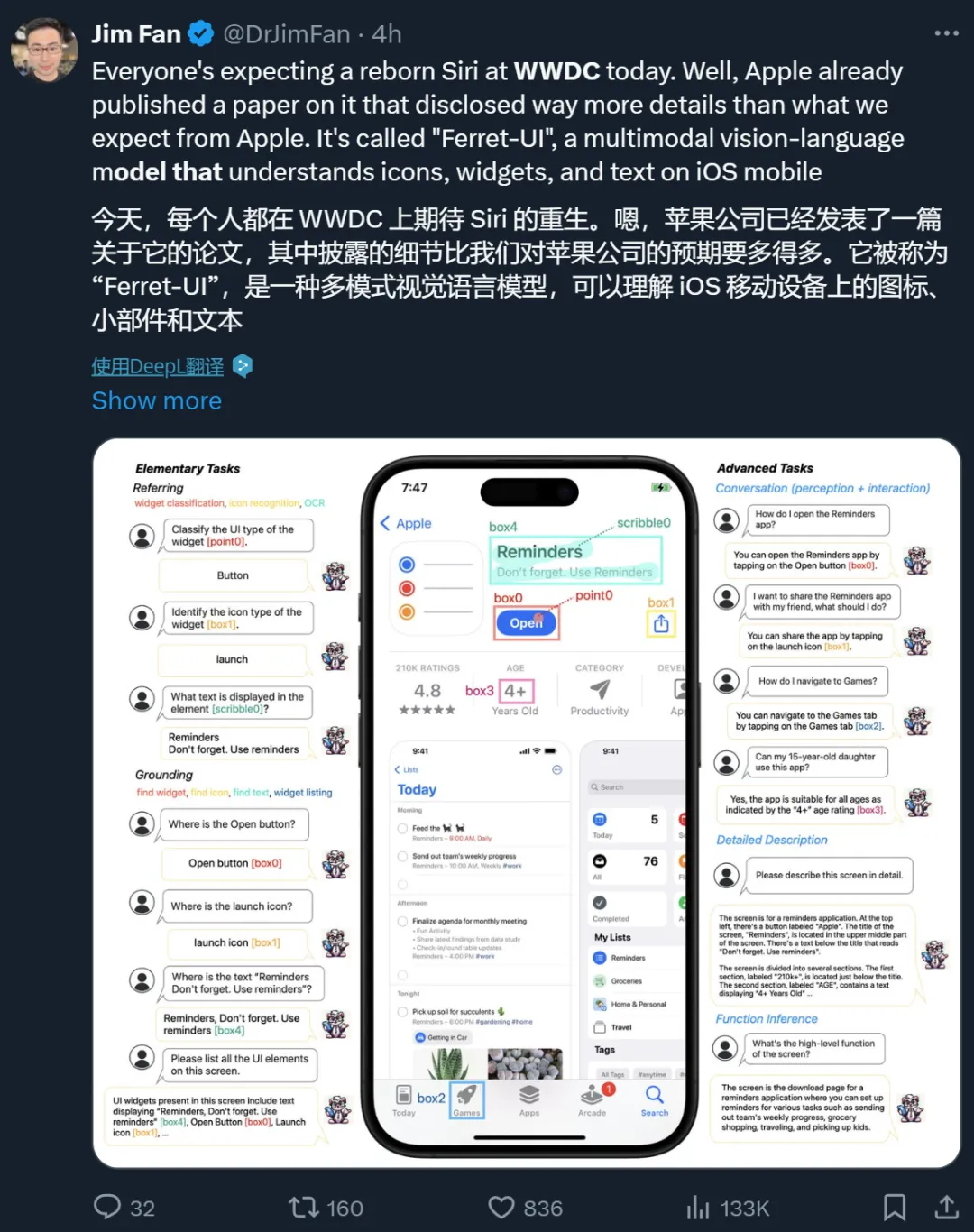
Apple has also open-sourced related research: https://github.com/apple/ml-ferret?tab=readme-ov-file

ChatGPT Integration Across Apple Platforms
As expected, one of the highlights of today’s announcement is Apple’s collaboration with OpenAI.
Apple announced that ChatGPT will be integrated into the experiences of iOS 18, iPadOS 18, and macOS Sequoia, allowing users to access ChatGPT—including image and document understanding—without switching between apps.
Moreover, Siri can now leverage ChatGPT’s expertise on demand. Before sending any query, document, or photo to ChatGPT, Siri will first ask for user permission, then directly deliver the response.
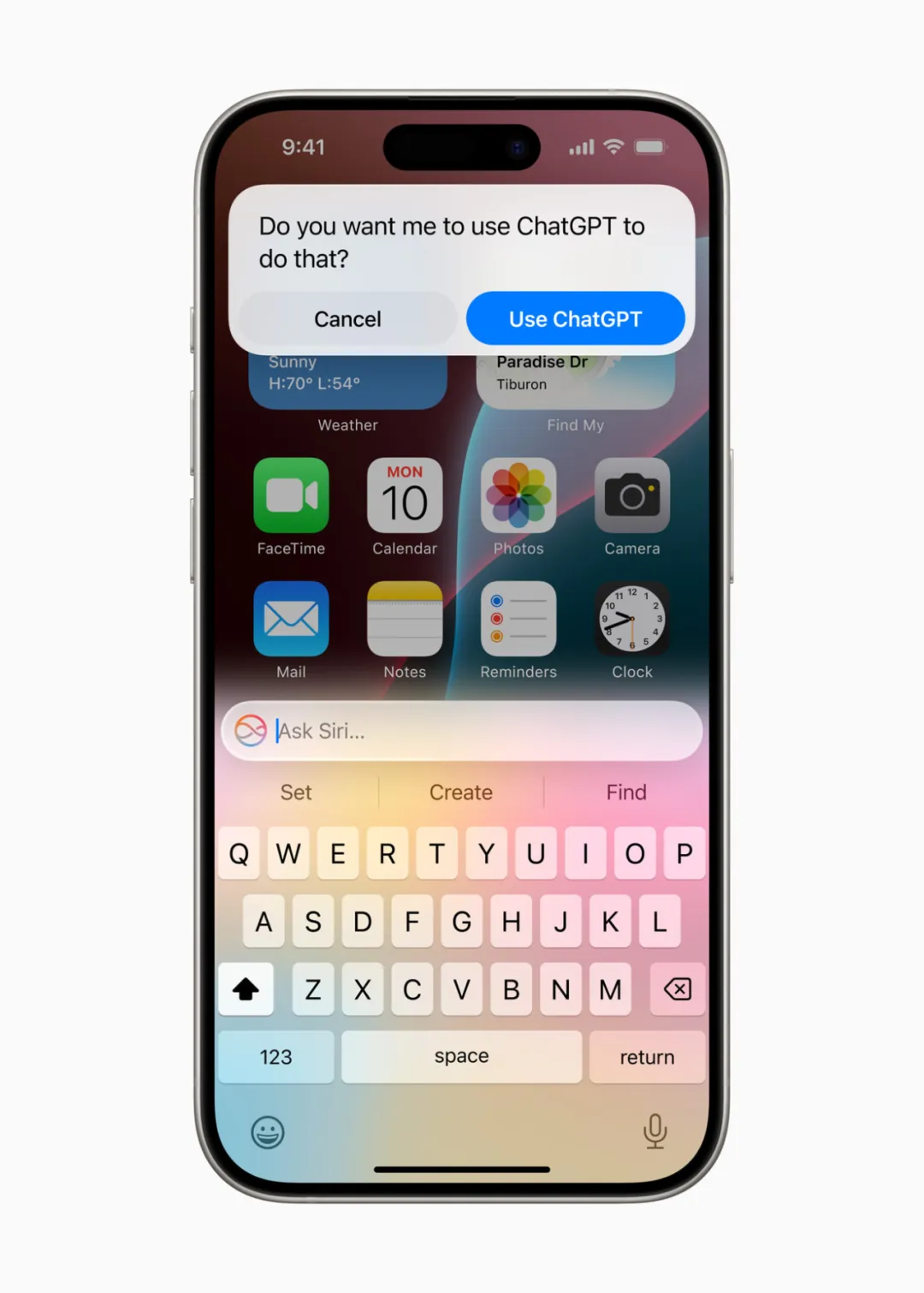
With user permission, Siri can utilize ChatGPT responses.
Additionally, Apple’s system-wide writing tools will incorporate ChatGPT to assist content creation. With Compose, users can access ChatGPT’s image generation tools to create images in various styles.
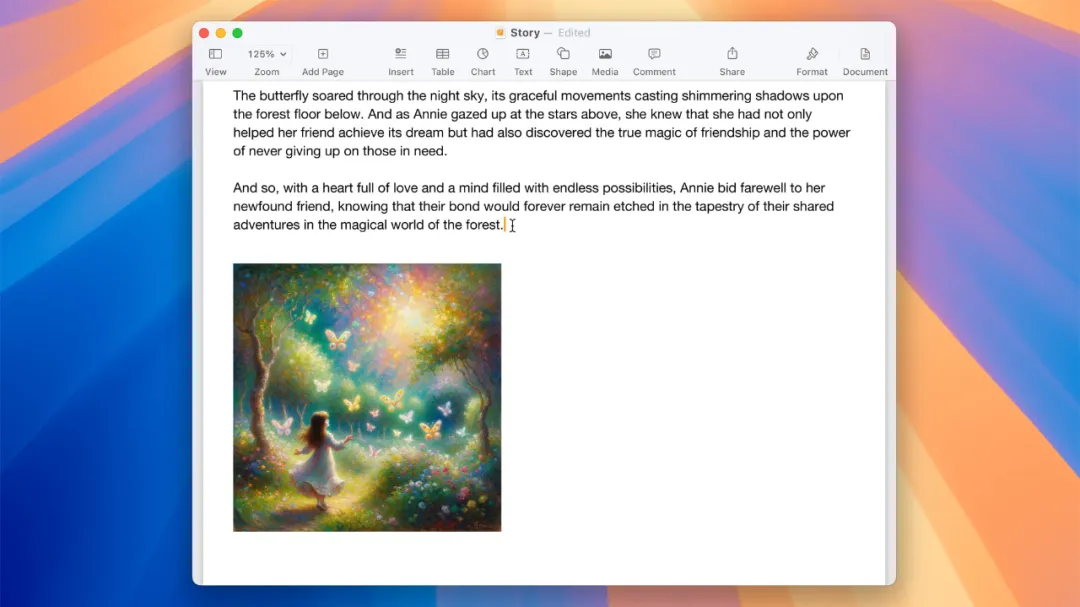
Writing tools leverage ChatGPT to assist with writing.
Regarding availability, Apple said ChatGPT will come to iOS 18, iPadOS 18, and macOS Sequoia later this year, powered by GPT-4o. Users won’t need to create an account to use it for free, while ChatGPT subscribers can link their accounts to access premium features directly within these experiences.
Finally, Apple Intelligence will be free and available this fall as a beta in English, included with iOS 18, iPadOS 18, and macOS Sequoia. Broader functionality, additional platforms, and other languages will roll out next year. Apple Intelligence will be supported on iPhone 15 Pro, iPhone 15 Pro Max, and iPads and Macs equipped with M1 or later chips.
In short, to access these large model capabilities, you’ll need to invest in Apple’s latest hardware.
New Capabilities in Language Understanding and Creation
Apple Intelligence unlocks new ways for users to enhance writing and communicate more effectively.
A new system-wide writing tool is built into iOS 18, iPadOS 18, and macOS Sequoia, enabling users to rewrite, proofread, and summarize text nearly anywhere—whether in Mail, Notes, Pages, or third-party apps.
The rewrite feature lets users choose from multiple versions and adjust tone to suit different audiences and contexts. Whether adding persuasive flair to a cover letter or injecting humor into a party invitation, rewriting helps users find the perfect expression.
The proofreading function deeply analyzes grammar, vocabulary, and sentence structure, offering suggested edits with explanations so users can review or accept changes quickly. For example, when composing an email, the writing tools menu appears with options for proofreading and rewriting, letting users pick what they need.
The summarization feature allows users to select text and generate concise paragraphs, bullet points, tables, or checklists with one tap, making information instantly clear. For instance, when taking notes about holistic health in the Notes app, users can use “Summarize” to extract key insights.
Managing email can be overwhelming, but the new “Priority Mail” feature places urgent messages—like dinner invitations or boarding passes—at the top of the inbox. Users can see summaries without opening each email.
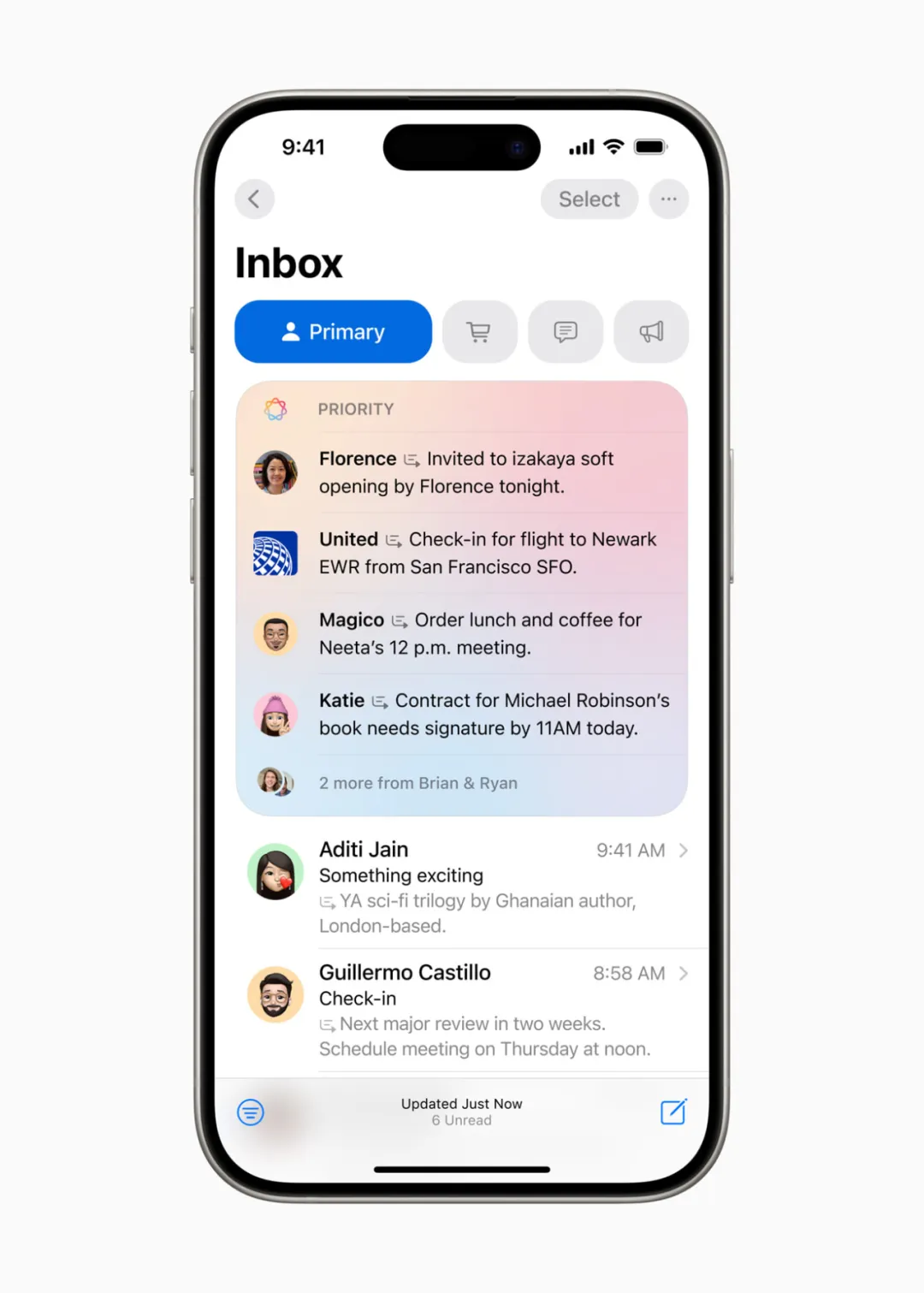
For long email threads, users simply tap to view key information.
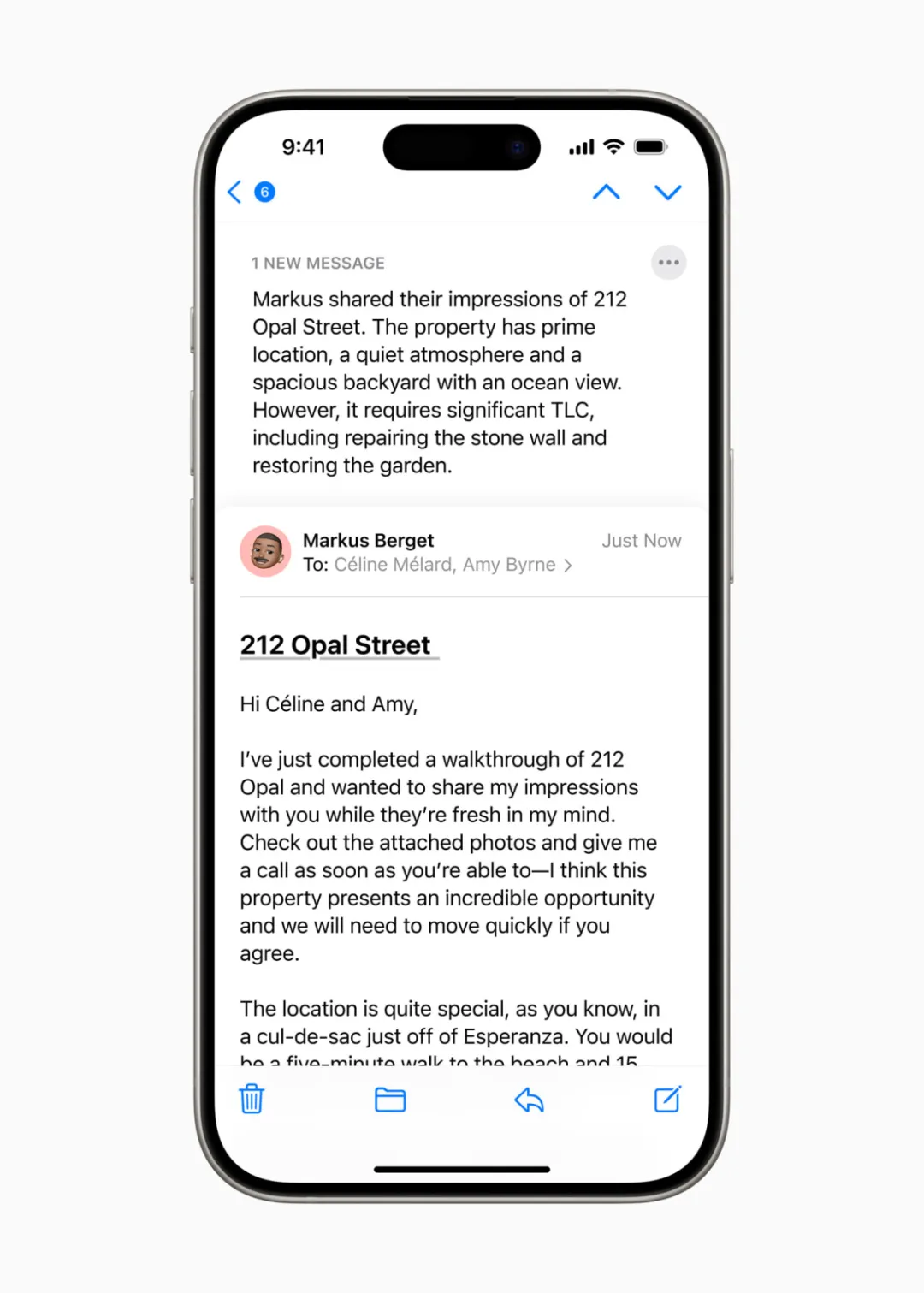
Smart Reply offers quick response suggestions and accurately identifies questions in emails, ensuring every point is addressed—making email management much smoother.

This deep language understanding extends to notifications. Important alerts rise to the top of the notification list, while summarization helps users quickly scan lengthy or stacked notifications on the lock screen, highlighting essential details.
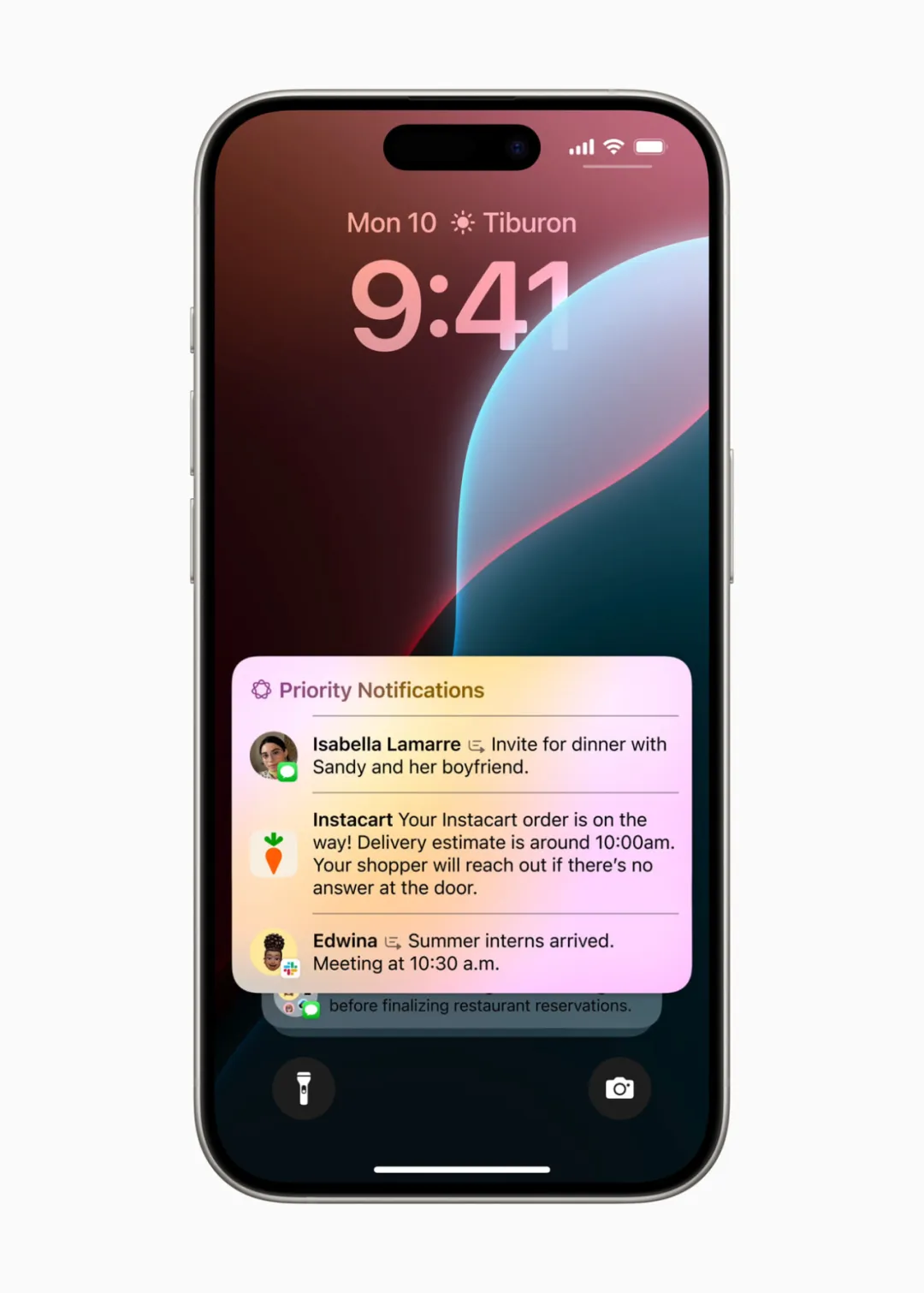
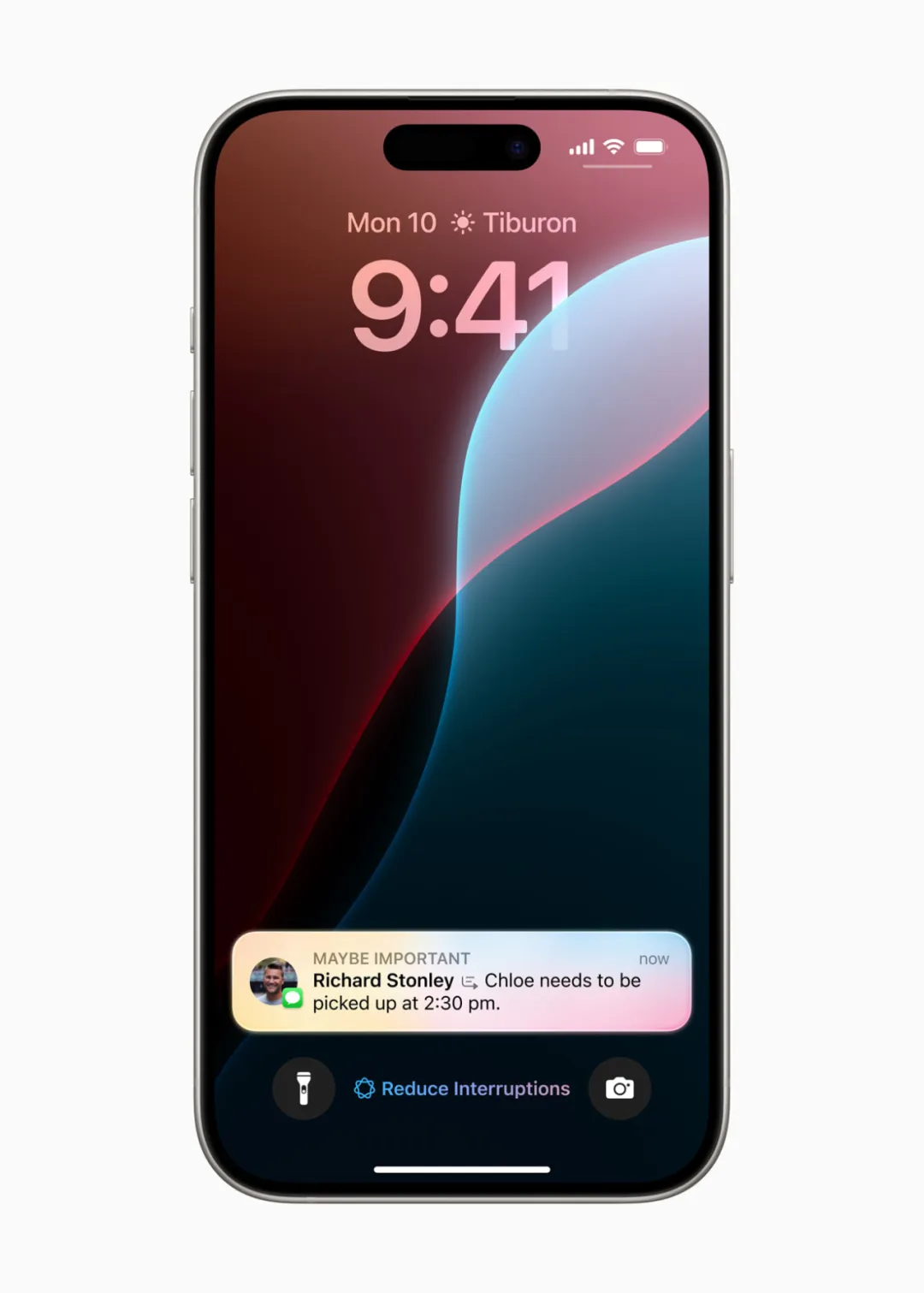
“Reduce Interruptions” is a new Focus mode. When group chats get too active, it shows only notifications requiring immediate attention—such as an urgent text from daycare about picking up a child early—helping users stay focused.
Notes and Phone apps also gain new features: users can record calls, transcribe conversations in real time, and auto-generate summaries.
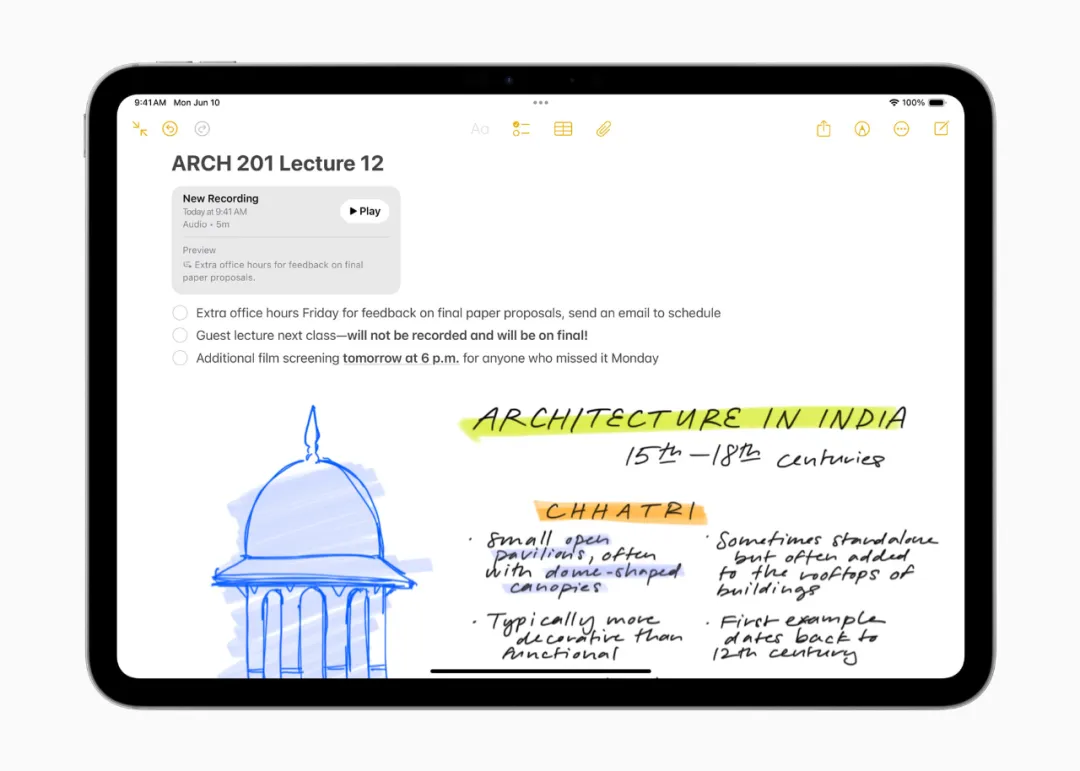
During a call, if recording is enabled, all participants are notified. As soon as the call ends, Apple Intelligence generates a summary, helping users quickly review key points.
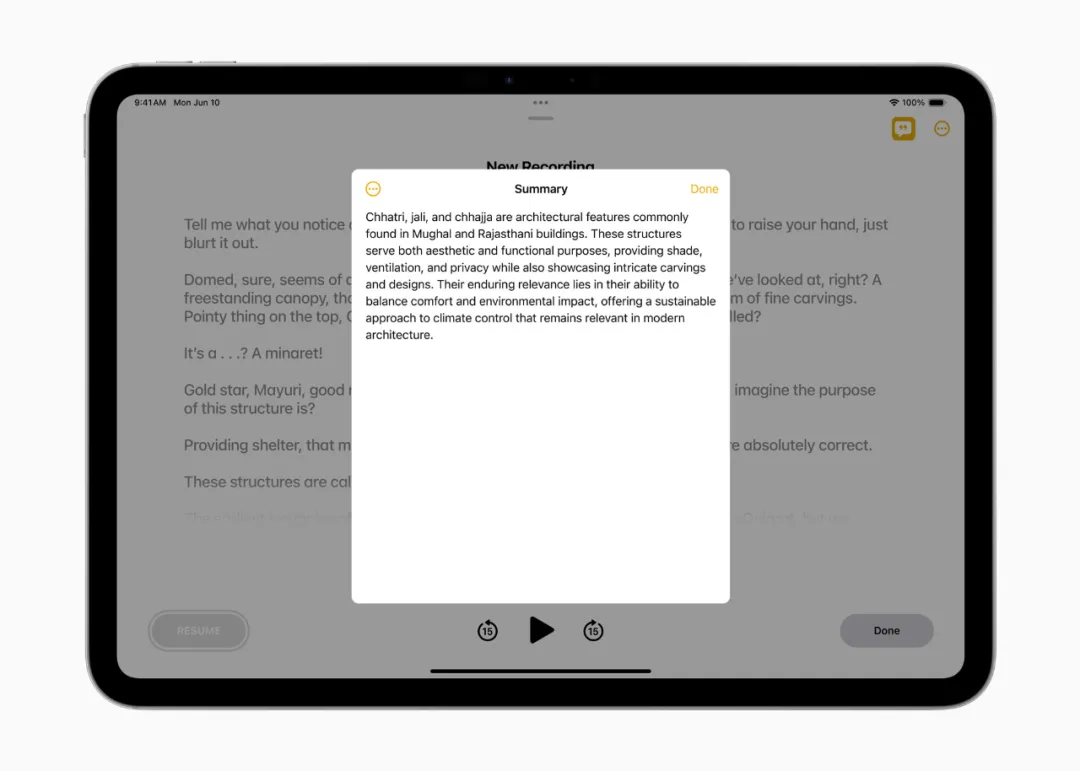
Image Playground
Apple Intelligence introduces exciting image generation features that let users communicate and express themselves in new ways—primarily through the new Image Playground. With Image Playground, users can create fun images in seconds and choose from three styles: animation, illustration, or sketch.
Image Playground is easy to use and built directly into apps including Messages, as well as a standalone app, ideal for experimenting with concepts and styles. All images are created on-device, and users can generate as many as they like.
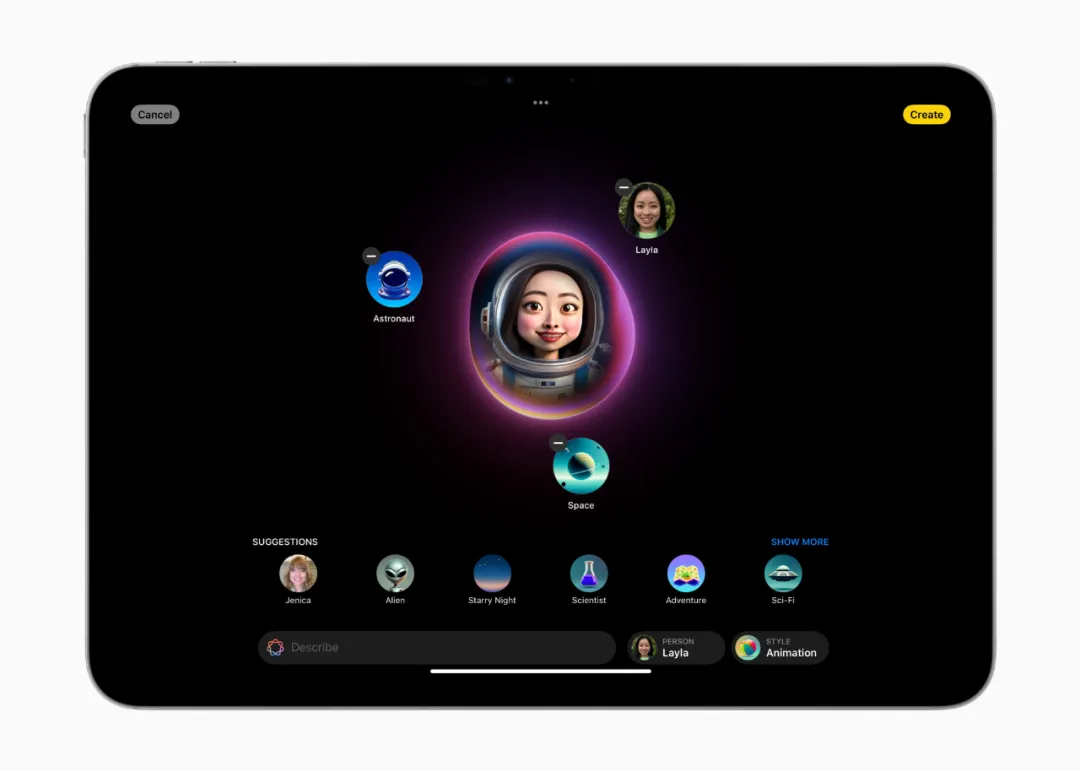
With Image Playground, users can:
-
Choose from a range of concepts across categories like theme, clothing, accessories, and location;
-
Enter descriptions to define the image;
-
Select someone from their personal photo library to include in the image;
-
And pick their favorite style.
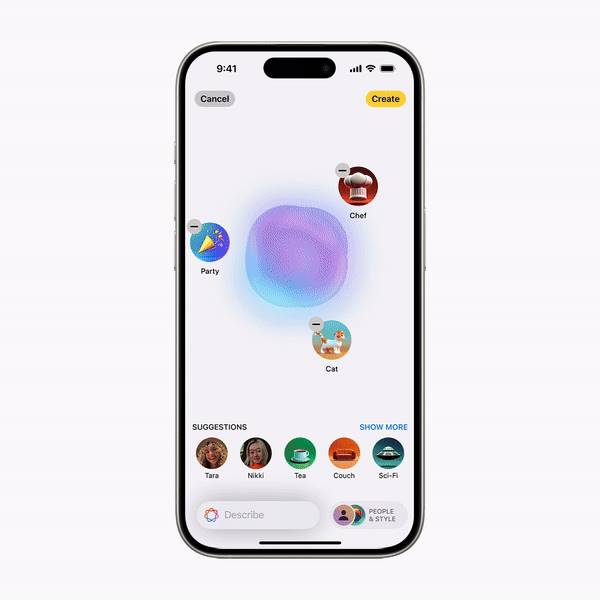
With Image Playground in Messages, users can quickly create fun images for friends and even receive personalized suggestions based on their conversation. For example, when messaging a group about hiking, users see relevant concept suggestions involving friends, destinations, and activities—making image creation faster and more relevant.


In Notes, users can access Image Playground via the new Image Wand in the Apple Pencil tool palette, making notes more visually engaging. Rough sketches can become delightful images, and users can even select blank spaces to generate images based on surrounding backgrounds.
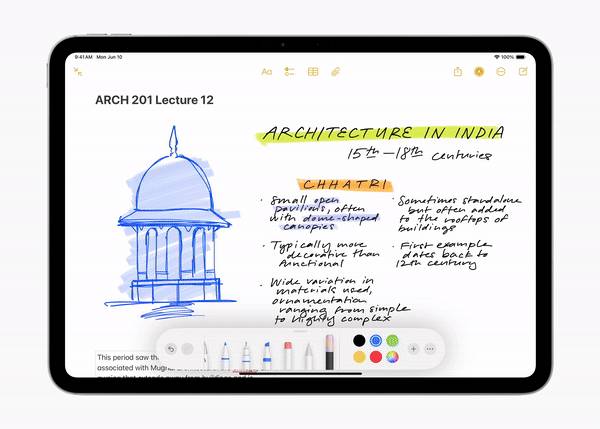
Image Playground is also available in Keynote, Freeform, Pages, and third-party apps using the new Image Playground API.
Genmoji: Elevating Emojis to a Whole New Level
Users can create original Genmojis by typing a description—the matching Genmoji appears instantly, along with alternative options.
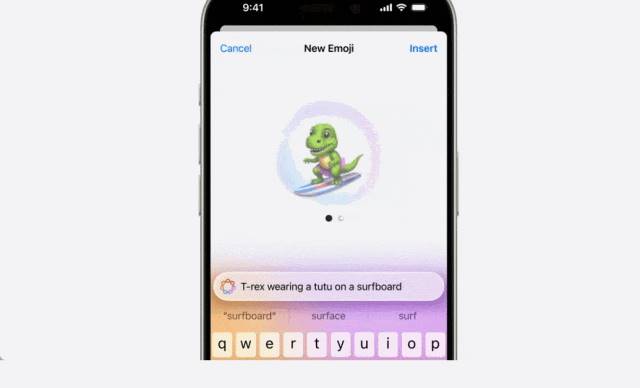
Users can even create Genmojis of friends and family based on photos. Like emojis, Genmojis can be embedded directly into messages or shared as stickers.

Just enter a description to generate a Genmoji and other options

Like emojis, Genmojis can be embedded directly into messages
New Photo Features Give Users Greater Control
With Apple Intelligence, searching photos and videos becomes easier. Users can search with natural language—for example, “Maya skateboarding in a tie-dye shirt” or “Katie with stickers on her face.”

Video search also gets stronger, letting users find specific moments within clips and jump directly to those segments. Plus, the new “Clean Up” tool detects and removes distracting objects from photo backgrounds without altering the subject.
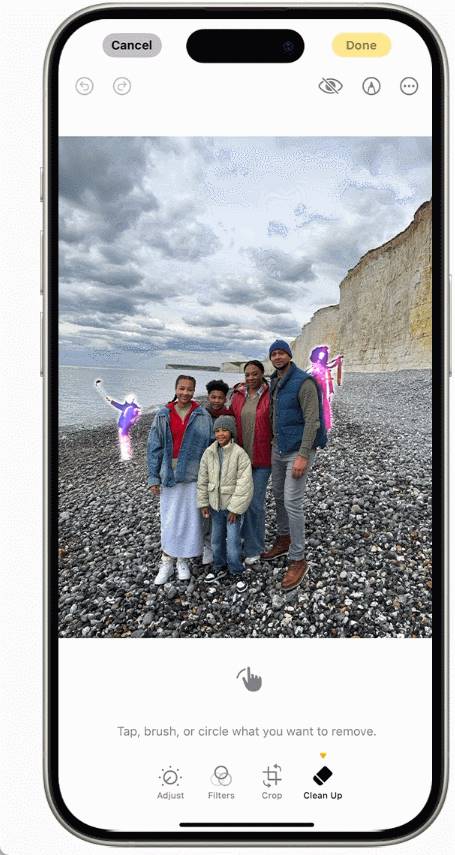
With the “Memories” feature, users can create personalized stories simply by describing them. Using language and image understanding, Apple Intelligence selects the best photos and videos, crafts a narrative arc based on recognized themes, and arranges them into a cinematic story. Users may even receive song recommendations from Apple Music to match the mood. As with all Apple Intelligence features, photos and videos remain private on the device and are never shared.

A New Privacy Standard for AI
For Apple Intelligence to truly help users, it must understand deep personal context while protecting privacy. Its foundation is on-device processing—many models run entirely on the device. For more complex requests requiring greater compute power, Private Cloud Compute extends Apple’s privacy and security to the cloud, unlocking advanced intelligence.
Through Private Cloud Compute, Apple Intelligence can flexibly scale computing power and use larger server-based models for complex queries. These models run on Apple silicon servers, creating a foundation that ensures data is never stored or exposed.
Independent experts can audit code running on Apple silicon servers to verify privacy safeguards. Private Cloud Compute uses encryption to ensure iPhones, iPads, and Macs don’t communicate with servers unless their software has been publicly logged for inspection. With Private Cloud Compute, Apple Intelligence sets a new privacy benchmark in AI, delivering trustworthy intelligent services.
Andrej Karpathy: Apple Intelligence Is Very Exciting
Apple’s Apple Intelligence has captured global attention from tech professionals. OpenAI founding member Andrej Karpathy posted his thoughts, saying he really likes what Apple unveiled with “Apple Intelligence.” His key observations:
-
Multimodal I/O. Apple enables native read/write for text, audio, images, and video—the “human APIs.”
-
Agentic. Apple enables full OS and app interoperability via “function calling”; a kernel-level LLM schedules and coordinates workflows based on user queries.
-
Frictionless. Deeply integrated in a seamless, fast, always-on, context-aware way—no copy-pasting, prompt engineering, etc. UI adapted accordingly.
-
Proactive. Instead of reacting to prompts, Apple anticipates needs, suggests actions, and executes proactively.
-
Tiered authority. Push as much intelligence as possible to the device (Apple silicon excels here), but allow optional delegation to the cloud.
-
Modular. Enables OS access to and support for the growing LLM ecosystem (e.g., the ChatGPT announcement).
-
Privacy.
Karpathy said we’re rapidly entering a world where you can just speak naturally to your phone, and it responds intelligently, understands you, and actually works—this is very exciting.

New macOS Enhances Continuity Between Mac and iPhone
Apple also unveiled a major update to its macOS, including a name change and a suite of new features.
macOS 15 is now named macOS Sequoia, with a public beta launching next month and full release this fall. Key new features include iPhone Mirroring, Notifications, and Safari upgrades.

Let’s focus on iPhone Mirroring, which lets users fully access and use their iPhone directly on their Mac. Users can launch and navigate any iPhone app from their Mac and interact seamlessly using keyboard, trackpad, and mouse.

Swipe across the iPhone screen.
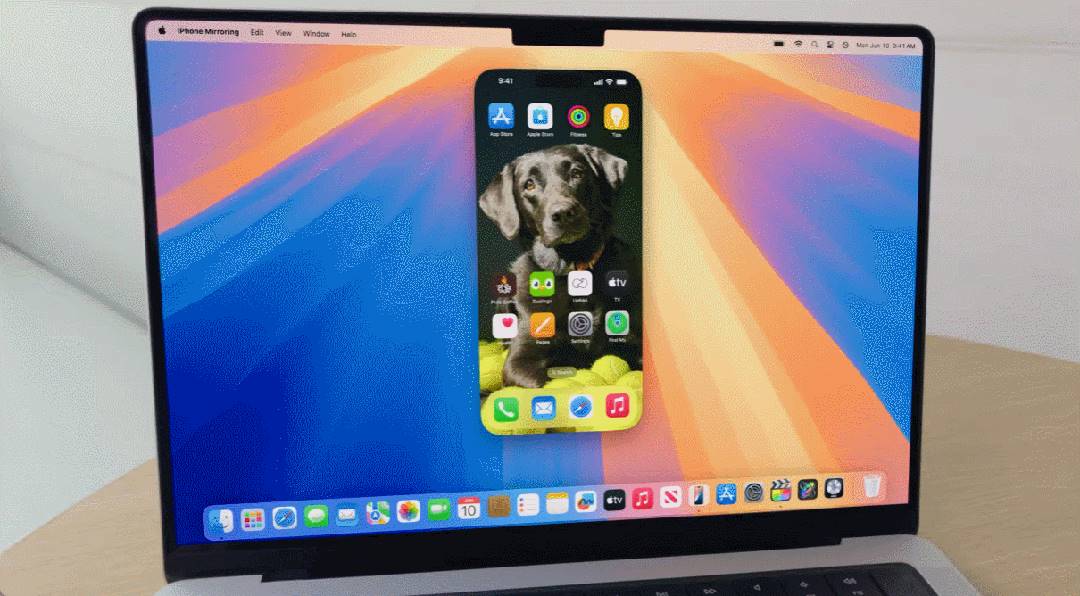
Open iPhone apps.
With iPhone notifications on Mac, users receive iPhone alerts on Mac and can click to jump straight into the relevant app.
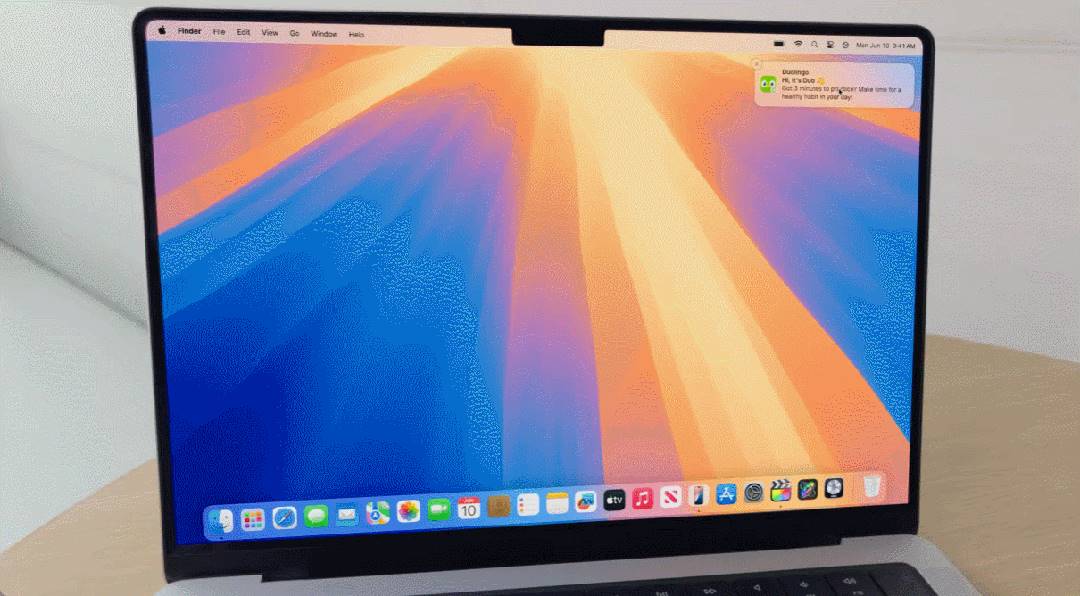
When working on Mac, the iPhone screen locks into standby mode, preventing others from seeing what you're doing.
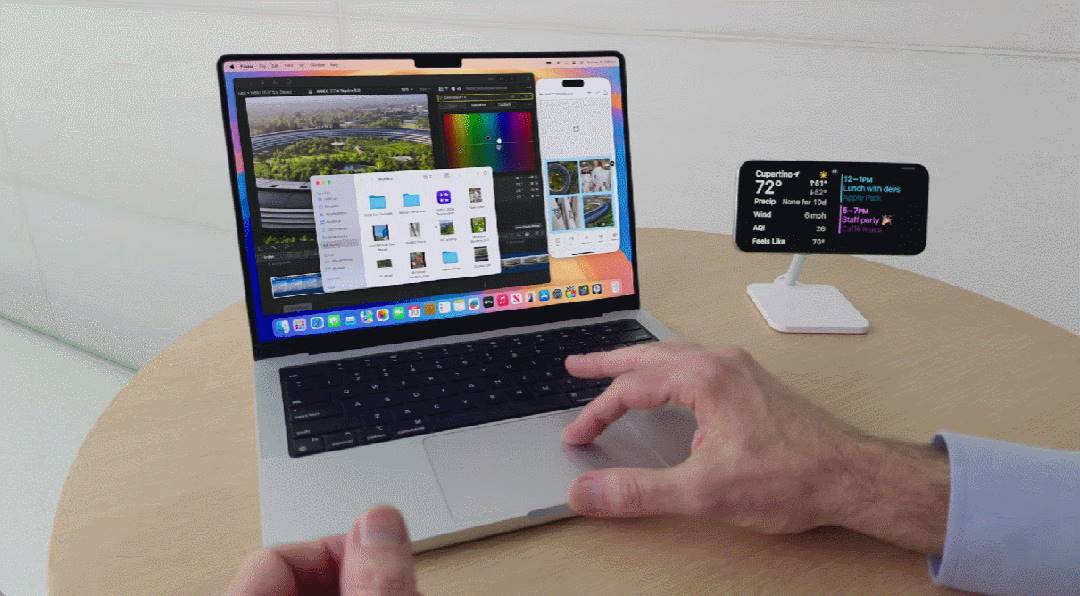
Drag and drop files effortlessly between Mac and iPhone.
While iOS apps can already run on Mac, direct control over the iPhone interface is clearly more intuitive. In this regard, Mac is finally catching up with Android and HarmonyOS.
macOS Sequoia also adds a new window tiling tool similar to Windows, automatically resizing app windows to tile and fill the screen. When dragging a window to the edge, the system suggests optimal placements, keeping the desktop organized.
Users can choose to place windows side-by-side or in corners to view more apps simultaneously, and new keyboard and menu shortcuts speed up tiling.
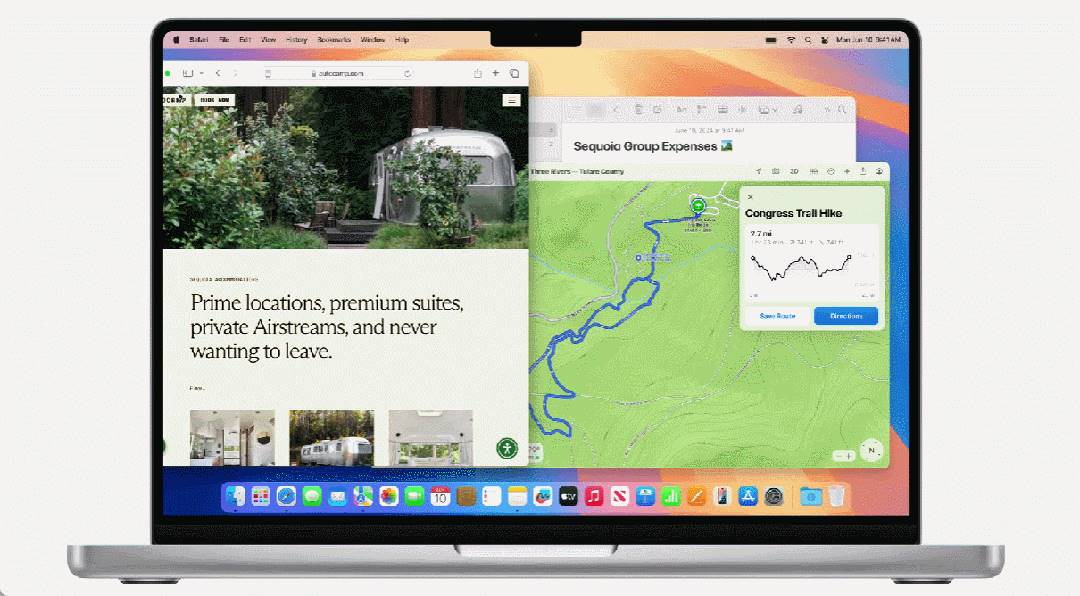
Additionally, Safari gains a “Highlights” feature that makes discovering information easier—such as routes, summaries, or quick links—by using machine learning to detect and highlight relevant content as users browse.

Route planning with highlights.
Clearly, the new macOS makes the Mac experience smoother, simpler, and more efficient.
Breaking Tradition: Giving iPad a Calculator
For iPad users, the biggest advancement is finally getting a native calculator app. Steve Jobs once called putting a calculator on the iPad “counterintuitive,” so for over a decade this globally popular tablet lacked a built-in calculator.
Now that generative AI has arrived, Apple has swiftly “broken tradition.”
Apple introduced a new Math Notes calculator, allowing users to type or handwrite math expressions and instantly see results rendered in their own handwriting. When learning new concepts or budgeting, users can assign values to variables. The new graphing feature lets users write or type equations and insert charts with a single tap—even overlay multiple equations on one chart to visualize relationships.
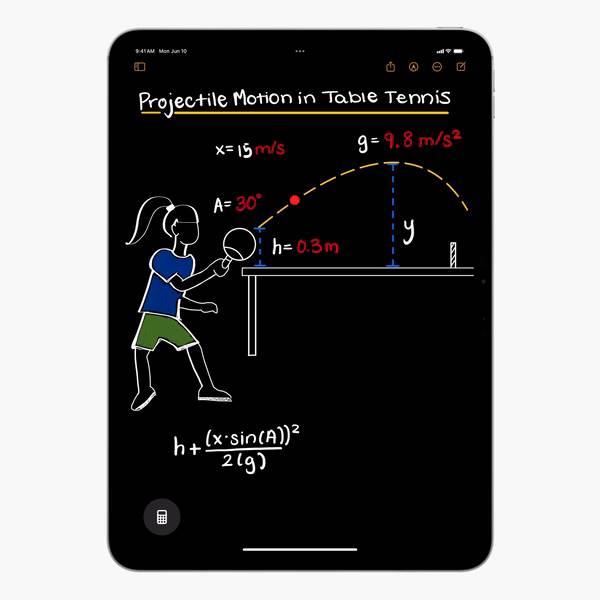
Designed specifically for iPad’s unique capabilities, the calculator introduces a new way to solve expressions using Apple Pencil.
Of course, this requires owning an Apple Pencil.
This basic scientific calculator for iPad lets users see full expressions before finishing. The history feature tracks past calculations, and unit conversion supports quick conversions for length, weight, currency, and more.
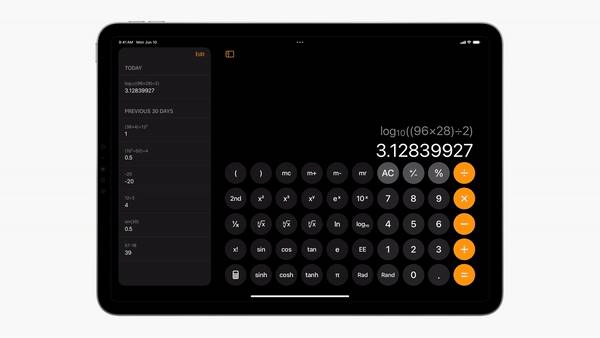
With Math Notes, the calculator lets users type or write math expressions, instantly see solutions, and assign values to variables for reuse.
One More Thing
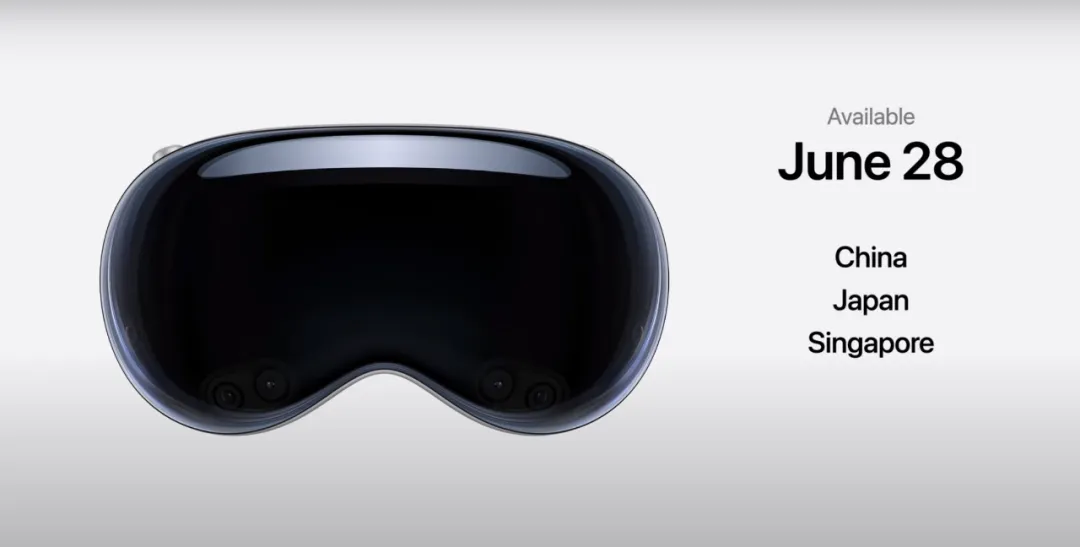
Beyond the major macOS and iPadOS updates, Apple also introduced enhancements across other systems. The mixed-reality headset Vision Pro received a new operating system—visionOS 2—with advanced features like using machine learning to derive left-right eye views from 2D images and create spatial photos with natural depth.

Vision Pro will launch in China, Japan, and Singapore on June 28. Pricing starts at ¥29,999 for the 256GB model, ¥31,499 for 512GB, and ¥32,999 for 1TB. Will you buy one?
Apple’s series of announcements both keep pace with the industry and showcase its advantage in tight hardware-software integration. After all, in the Android ecosystem, it’s rare to see phones and servers sharing the same chip architecture. Meanwhile, Apple’s deep collaboration with cutting-edge OpenAI is seen as bold and open-minded.
But does this mean Apple’s AI future is bright? Not necessarily—Apple’s stock dropped after the event.

Shortly after the WWDC keynote, Apple was once again overtaken in market cap by Nvidia.
Elon Musk also commented: since Apple integrates OpenAI at the system level, it’s unacceptably insecure—and banned in his companies.

Whether from investors or competitors, there are still concerns.
Whether “Apple Intelligence” can help Apple surge ahead in the generative AI race remains to be seen.
Join TechFlow official community to stay tuned
Telegram:https://t.me/TechFlowDaily
X (Twitter):https://x.com/TechFlowPost
X (Twitter) EN:https://x.com/BlockFlow_News
 @Synced_Global